Devastating Driving Prevention Device (DDPD)
A low-cost driving simulator built with NI LabVIEW, an Arduino Uno, FSRs and an ADXL335 accelerometer.
Project overview. The DDPD is a custom-built hardware simulator designed to help novice drivers build confidence in a safe environment. Force-sensing resistors (FSRs), an ADXL335 accelerometer and NI LabVIEW are integrated into a functional steering and pedal system compatible with racing simulators like Mario Kart and Asphalt 9.
Introduction
Traffic accidents have seen a statistically significant rise, particularly following the pandemic. In 2020 alone, vehicle-related fatalities peaked at 11.67 deaths per 100,000 people. A major contributing factor is inexperienced or “unconfident” drivers who lack a safe environment to practice defensive driving skills without the life-or-death stakes of real traffic.
To address this, we developed the DDPD. Inspired by high-end racing gear like the Logitech G923, our goal was to engineer a low-cost alternative that replicates the physics of driving — steering, braking, acceleration — using off-the-shelf sensors and signal processing.
System architecture
1. Hardware design
The physical build uses a “cardboard and wood” chassis to keep costs low while maintaining functionality:
- Steering — an ADXL335 accelerometer mounted on a Wii Wheel acts as the steering column. It measures X-axis tilt to determine left/right direction.
- Pedals — two force-sensing resistors (FSRs) are mounted on wooden blocks to simulate gas and brake pedals.
- Immersion — a 12V DC fan, controlled via a transistor circuit, provides wind feedback based on simulated vehicle speed.
- Controller — an Arduino Uno handles data acquisition, reading analog voltages from the sensors and sending them to the PC.
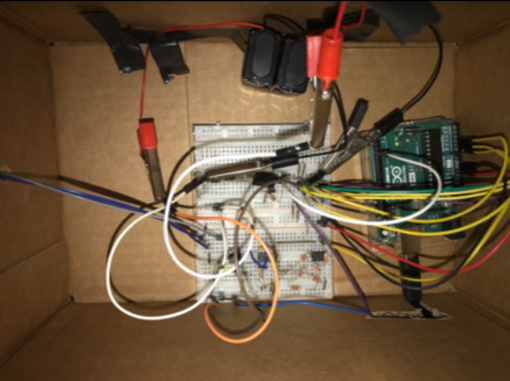
Figure 1: The DDPD hardware setup. Top: signal-conditioning circuit. Bottom: physical chair, wheel and pedal configuration.
2. Signal-conditioning circuits
Raw sensor data is rarely usable immediately. We implemented three signal-conditioning circuits:
- Op-amp amplifiers — to condition the accelerometer signals for the Arduino’s 0–5V analog input range.
- Voltage dividers — to convert the varying resistance of the FSRs into readable voltage changes.
- Transistor amplifier — to drive the high-power fan using low-power logic signals from the Arduino.
The mathematics of sensing
Force-sensing resistors (pedals)
The FSRs decrease in resistance as force is applied. We treated the system using a linear approximation, mapping force (\(F\)) to resistance (\(R\)). Using \(F = ma\), the operating range was between 0.196 N and 19.6 N. We use the linear equation \(R = m \cdot F + b\), solving for the slope:
\[m = \frac{\Delta R}{\Delta F}\]Accelerometer (steering)
The ADXL335 outputs voltage based on orientation relative to gravity. We mapped the binary digital values to voltage and then to a normalized position vector (\(-1\) to \(1\)). The minimum input voltage was approximately 1.28 V and the maximum 1.95 V. Applying a linear transformation:
\[V_{out} = m \cdot V_{in} + b, \quad m = \frac{5}{1.95313 - 1.27930} \approx 7.42, \quad b \approx 9.49\]This allowed us to define a “dead zone” in the center for straight driving while converting positive voltage deltas to “right” turns and negative deltas to “left” turns.
Software implementation (LabVIEW)
The software core was built entirely in NI LabVIEW. It handles data acquisition, signal processing and game control.
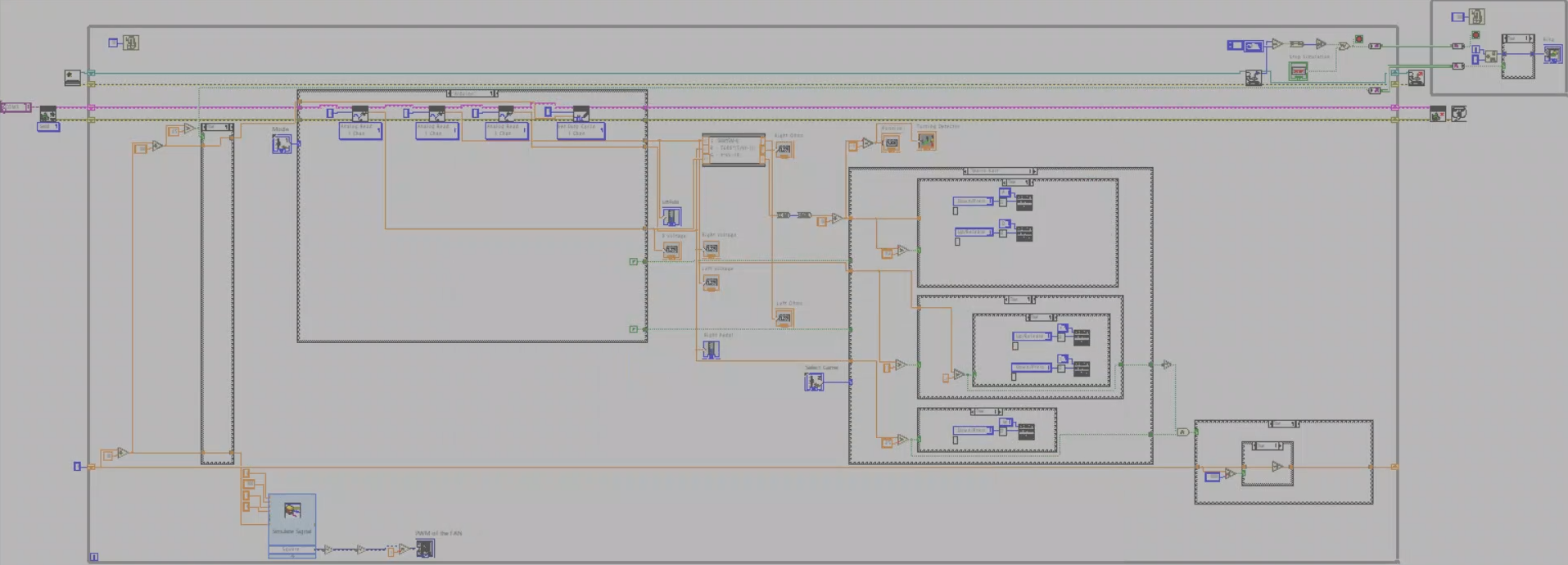
Figure 2: The LabVIEW block diagram handling logic flow and data conversion.
Logic flow
- Data acquisition — read three analog channels (Steering, Gas, Brake).
- Conversion — apply the transfer functions in real time to normalize values.
- Simulation control — if normalized X > 0.2 send “Right”; if < −0.2 send “Left”. Pedal thresholds determine “Accelerate” or “Brake”.
- Fan feedback — once virtual speed crosses a threshold, the Arduino writes a PWM signal to the fan, physically blowing air on the driver to simulate speed.
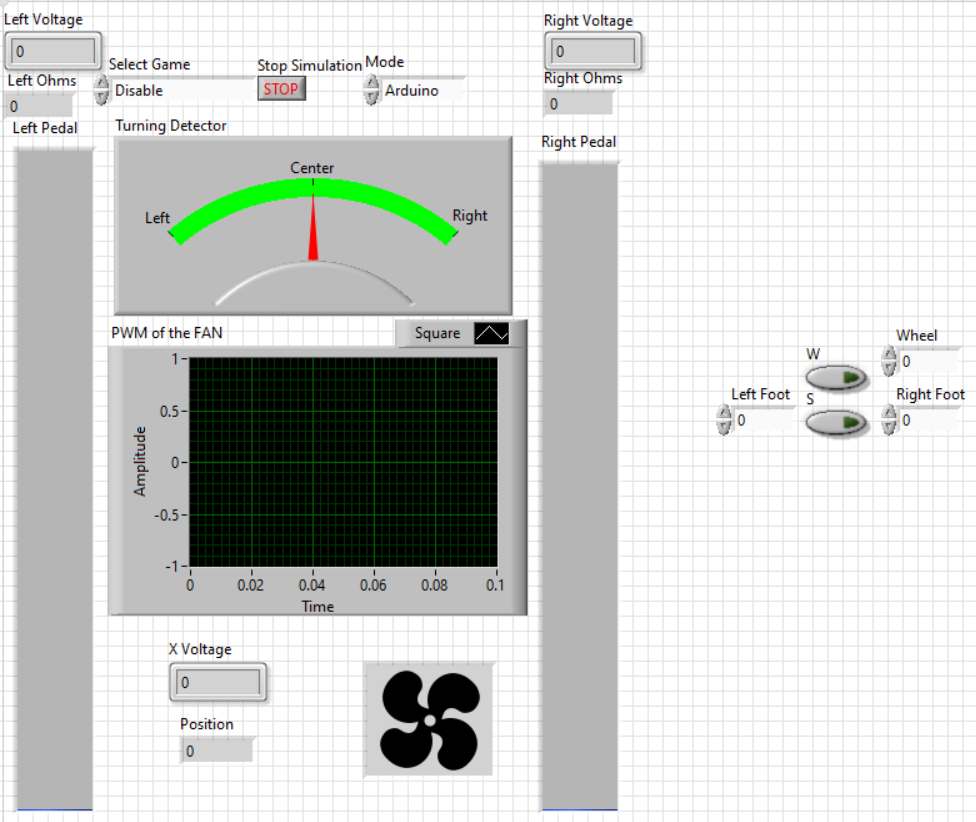
Figure 3: Front panel of our LabVIEW code.
Demo
Key findings
- The failsafe bug. A LabVIEW local-variables race condition required switching to Channel Wires so two independent loops (logic at 10 ms and visuals at 100 ms) could communicate asynchronously without data loss.
- Immersion via PWM. The fan needed a kick-start voltage; we only send PWM when the calculated value is above 50% duty cycle, ensuring the fan actually spins.
- Cost-effective haptics. Combining a weighted Wii wheel with air resistance from the fan gave a surprisingly convincing pseudo-haptic experience for a fraction of the price of a Logitech G923.
Conclusion
DDPD shows that complex sensor fusion and signal conditioning can be achieved with accessible hardware. By combining the mathematical rigor of transfer functions with the graphical programming of LabVIEW, we created a functional tool that meets the objective of providing a safe, simulated driving experience. Future iterations would replace the cardboard chassis with a 3D-printed rig and use a precision gyroscope to eliminate accelerometer-based tilt noise.